In modern web design and digital marketing, images play a critical role in capturing attention and enhancing user experience. However, unoptimized stock images can significantly slow down your website and negatively impact search engine rankings. To strike the right balance between visual appeal and performance, it is essential to follow best practices for optimizing stock images for both page speed and SEO.
The Impact of Images on Website Performance
Large, uncompressed images are one of the most common causes of slow-loading websites. Page speed is a confirmed ranking factor for search engines, and even a one-second delay can reduce conversions and increase bounce rates. Whether you are using premium visuals or Cheap Stock Footage as part of your content strategy, proper optimization ensures that your website remains fast and responsive.
Optimized images not only improve load times but also enhance overall user experience, making it easier for visitors to navigate and engage with your content.
Choose the Right File Format
Selecting the appropriate image format is the first step in optimization. JPEG is ideal for photographs due to its balance between quality and file size, while PNG works best for images that require transparency. Modern formats like WebP offer superior compression without compromising quality, making them a preferred choice for web performance.
Using the correct format ensures that your images are displayed clearly while keeping file sizes manageable.
Compress Images Without Losing Quality
Image compression is essential for reducing file size. Tools such as TinyPNG, ImageOptim, or built-in CMS plugins can significantly decrease image weight without noticeable quality loss. This step is crucial for maintaining a fast-loading website.
Lossy and lossless compression methods can be used depending on your needs. For most websites, lossy compression provides the best balance between performance and visual quality.
Optimize File Names and Alt Text
SEO-friendly image optimization goes beyond file size. Renaming image files with descriptive, keyword-rich names helps search engines understand the content of your visuals. Instead of generic names like “image1.jpg,” use descriptive terms that reflect the subject of the image.
Alt text is equally important. It improves accessibility and provides search engines with context about the image. Write concise, relevant descriptions that naturally include your target keywords.
Implement Responsive Images
With users accessing websites on various devices, responsive images are essential. By using HTML attributes like “srcset,” you can serve different image sizes based on the user’s screen resolution. This prevents mobile users from downloading unnecessarily large files, improving load times and performance.
Responsive design ensures that your images look great and function efficiently across all devices.
Leverage Lazy Loading
Lazy loading is a technique that delays the loading of images until they are needed—typically when they appear in the user’s viewport. This reduces initial page load time and improves performance, especially for pages with multiple images.
Most modern browsers and content management systems support lazy loading, making it an easy and effective optimization strategy.
Use Content Delivery Networks (CDNs)
A Content Delivery Network (CDN) distributes your images across multiple servers worldwide, allowing users to load content from the server closest to their location. This significantly reduces latency and speeds up image delivery.
CDNs are particularly beneficial for websites with a global audience, ensuring consistent performance regardless of geographic location.
Maintain a Balance Between Quality and Performance
While optimization is important, it should not come at the expense of image quality. Blurry or pixelated visuals can harm your brand’s credibility. The goal is to find the right balance where images are visually appealing yet lightweight enough to support fast loading speeds.
Conclusion
Optimizing stock images for page speed and SEO is a critical component of a successful website strategy. By choosing the right formats, compressing files, optimizing metadata, and implementing modern techniques like lazy loading and responsive images, you can significantly improve both performance and search visibility. Whether you are working with high-end visuals or Cheap Stock Footage, proper optimization ensures that your images enhance—not hinder—your website’s effectiveness.
I’ve seen firsthand how the right stock photo can transform content from forgettable to memorable. These ready-to-use images provide businesses, bloggers, and marketers with instant visual solutions when custom photography isn’t feasible.
Stock photos have evolved dramatically from the awkward, staged compositions we once mocked. Today’s marketplace offers millions of high-quality, authentic images that can enhance your brand’s storytelling. Whether you’re creating social media posts, designing a website, or developing marketing materials, using professional stock imagery can elevate your visual communication strategy without breaking your budget.
What Are Stock Photos and Why They Matter
Stock photos are professional photographs available for licensing and immediate use in creative projects. These ready-made images come from photographers, agencies, or platforms and can be purchased individually or through subscription plans from stock photography websites like Shutterstock, Adobe Stock, and iStock.
The stock photography industry offers three distinct licensing types:
Royalty-free images allow unlimited use after a one-time payment
Rights-managed photos have specific usage restrictions based on time, location, or industry
Public domain images have no copyright restrictions and are free for commercial use
Stock photos matter significantly in today’s visual-centric digital landscape. Content with relevant images receives 94% more views than text-only content, making stock photography an essential tool for marketers, designers, and content creators. These images help establish brand identity, convey complex information quickly, and create emotional connections with audiences.
For small businesses and independent creators, stock photos offer a cost-efficient alternative to custom photography. Rather than spending thousands on professional photo shoots, they can access a vast library of high-quality images for a fraction of the cost. This accessibility democratizes visual content creation, allowing entities of all sizes to present professional-looking materials.
The versatility of stock photos extends across numerous applications, including:
Website design and blog posts
Social media marketing campaigns
Email newsletters and digital advertising
Print materials like brochures and catalogs
Presentations and internal communications
When I need to enhance my content quickly with professional visuals, stock photos provide immediate solutions without the logistical challenges of organizing custom photography.
Types of Stock Photo Licenses Explained
Stock photo licenses define how and where you can use the images you purchase. Understanding these licenses is crucial for avoiding copyright issues and ensuring proper usage rights for your projects. Let’s explore the three main types of stock photo licenses available today.
Royalty-Free Stock Photos
Royalty-free stock photos allow you to pay once and use the image multiple times across different projects without additional fees. Despite the name, these images aren’t free—you’re purchasing a license that frees you from paying royalties for each use. Most popular stock photo sites like Shutterstock, Adobe Stock, and iStock offer royalty-free licenses with specific terms:
Usage flexibility: Use images across multiple projects and platforms
Time limitations: Most licenses grant perpetual usage rights
Modification rights: Limited editing and alteration permissions
Distribution caps: Restrictions on the number of copies or impressions
While royalty-free offers convenience, these licenses typically don’t provide exclusivity—other people can license and use the exact same images in their projects.
Rights-Managed Stock Photos
Rights-managed stock photos offer more controlled licensing terms based on specific usage parameters. These licenses are customized according to how you plan to use the image, with factors that affect pricing including:
Usage type: Editorial, commercial, or advertising
Distribution medium: Print, digital, or broadcast
Geographic scope: Local, national, or worldwide use
Duration: Time period for which usage rights are granted
Exclusivity options: Preventing competitors from using the same image
Rights-managed licenses provide clarity about exactly what you’re permitted to do with each image. Some rights-managed licenses offer exclusivity options, which isn’t typically available with royalty-free stock photos. However, this specificity comes with higher costs and the need to purchase additional licenses if your usage needs change.
Public Domain Images
Public domain images are free from copyright restrictions, allowing unlimited use without payment or attribution. These images become available through:
Copyright expiration: Works with expired copyrights (generally 70+ years after creator’s death)
Government sources: Many U.S. government photos (like NASA images)
Creative Commons Zero: Images deliberately placed in public domain by creators
Historical archives: Old photographs with expired protection
Public domain stock photos offer complete freedom for commercial and personal projects. Sources like Pixabay, Unsplash, and government archives provide access to these unrestricted images. While these resources offer budget-friendly options, the selection is more limited than paid stock photo services, and quality can vary significantly.
Top Stock Photo Websites for Every Budget
Finding the perfect stock photos for your projects depends heavily on your budget and specific needs. I’ve compiled a comprehensive list of both premium and free stock photo platforms that cater to various price points while maintaining quality standards.
Premium Stock Photo Platforms
Premium stock photo websites offer extensive libraries with high-quality, professionally shot images ideal for commercial projects. Shutterstock stands out with over 350 million images and a subscription model starting at $29/month for 10 downloads. Adobe Stock integrates seamlessly with Creative Cloud applications and provides 10 images monthly for $29.99. Getty Images, though pricier with images starting around $50-$500 each, delivers exclusive, high-end photography that’s often featured in major publications. iStock (owned by Getty) offers more affordable options with subscription plans beginning at $29 monthly for 10 downloads. For those seeking unique artistic styles, Stocksy provides curated, high-quality images with prices starting at $15 per photo and emphasizes fair compensation for photographers.
Free Stock Photo Resources
Free stock photo sites have revolutionized content creation for bloggers and small businesses with limited budgets. Unsplash features over 3 million high-resolution photos contributed by photographers worldwide, all completely free for commercial use without attribution. Pexels offers thousands of free stock photos and videos with new additions daily, allowing use for personal and commercial projects. Pixabay’s library contains over 2.3 million royalty-free stock photos, illustrations, and vectors that don’t require attribution. For unique aesthetics, Burst by Shopify provides free stock photos particularly suited for e-commerce businesses. Kaboompics stands out with its color palette feature that helps find images matching specific color schemes. While these free resources don’t always match the extensive selection of premium sites, they’re invaluable for creators working with tight budgets who still need professional-looking stock photos for their projects.
How to Choose the Right Stock Photos for Your Project
Selecting the perfect stock photos for your project requires careful consideration of several factors to ensure they effectively enhance your visual content. The right images can dramatically impact user engagement and reinforce your brand message, while poor choices can detract from your overall presentation.
Quality and Resolution Considerations
High-quality stock photos with appropriate resolution form the foundation of effective visual content. When evaluating images, I always check for pixel dimensions that match my intended usage—minimum 1920×1080 pixels for web headers, 2000×3000 pixels for print materials, and 4000+ pixels for large-format displays. Image clarity is non-negotiable; look for sharp focus, proper exposure, and absence of visible noise or compression artifacts. The technical specifications directly impact how professional your final product appears across different mediums.
Professional-grade stock photos typically offer multiple resolution options to accommodate various applications. For website use, balance quality with load time by using compressed web-optimized versions (72-150 DPI), while print projects require higher resolution (300+ DPI) to prevent pixelation. When downloading stock photos, I’ve found that selecting the largest available size gives me flexibility to crop or resize later without losing quality.
Authenticity and Visual Storytelling
Authentic stock photos create an emotional connection with your audience through genuine representation rather than overly staged scenes. Modern viewers quickly detect and dismiss inauthentic imagery—those awkward office photos with forced smiles or unrealistically perfect scenarios. Instead, select images featuring natural expressions, diverse representation, and realistic settings that reflect your target audience’s actual experiences.
Common Mistakes to Avoid When Using Stock Photos
Using Overly Generic Images
Generic stock photos lack authenticity and fail to create meaningful connections with your audience. Images of businesspeople in suits smiling at laptops or perfectly posed handshakes appear in countless publications, making your content blend in rather than stand out. I’ve found that content with generic stock photos gets significantly less engagement than content with unique, relevant imagery. Instead, search for stock photos that genuinely represent your brand’s personality and message, even if it takes more time to find the perfect match.
Ignoring Licensing Terms
Misunderstanding or disregarding stock photo licenses can lead to expensive legal issues. Each stock photo comes with specific usage rights that dictate how, where, and for how long you can use the image. For example, using a royalty-free image for commercial purposes when the license only permits editorial use violates copyright law. I always recommend reading the complete licensing agreement before downloading any stock photo and keeping documentation of your purchased licenses for future reference.
Failing to Check Image Resolution
Low-resolution stock photos appear pixelated and unprofessional when scaled up, damaging your brand’s credibility. Many content creators download the first suitable image they find without checking if it meets their technical requirements. For web use, images should be at least 72 DPI, while print materials typically require 300 DPI or higher. Before finalizing any design, verify that your stock photos maintain their quality at the intended display size.
Neglecting to Edit for Brand Consistency
Unedited stock photos often clash with your brand’s visual identity, creating a disjointed user experience. Stock images come in various styles, lighting conditions, and color schemes that may not align with your established aesthetics. I always apply basic edits to stock photos—adjusting colors, cropping to improve composition, or applying filters—to maintain visual consistency across all materials. Creating a cohesive look strengthens brand recognition and professionalism.
Overlooking Cultural Context
Stock photos that don’t consider cultural context can alienate or offend segments of your audience. Images showing hand gestures, religious symbols, or cultural practices may carry different meanings across cultures. For international campaigns, I carefully review stock photos through a global lens, considering how diverse audiences might interpret visual elements. Using culturally appropriate imagery demonstrates respect for your audience and prevents unintentional miscommunications.
Selecting Overused Images
Frequently used stock photos diminish your brand’s uniqueness when audiences encounter the same images across multiple websites and publications. Several famous stock photos—like the “hide the pain Harold” meme—have become so recognizable that using them can make your content appear unoriginal or outdated. I recommend using reverse image search tools to check how widely a stock photo has been used before incorporating it into your materials.
Stock Photo Trends and Best Practices
Current Stock Photo Trends
Stock photography has evolved dramatically over recent years. The most significant shift I’ve observed is the move toward authenticity and diversity in visual content. Today’s most successful stock photos feature real people in natural situations rather than the overly posed, artificial scenes common in earlier stock libraries. Brands seeking to connect with modern audiences are embracing images that show diverse body types, ages, ethnicities, and abilities—reflecting our multicultural society.
Minimalist compositions continue to dominate in 2023, with photographers creating images with clean backgrounds and strong focal points. These simplified visuals work exceptionally well for digital platforms where users scroll quickly through content. I’ve also noticed a surge in demand for vertical images optimized for mobile viewing and social media stories, reflecting changing consumption habits.
Color trends in stock photography mirror broader design movements, with earthy tones and muted palettes replacing the vibrant filters popular in previous years. Additionally, the rise of authentic lifestyle photography has created demand for “in-the-moment” captures that feel spontaneous rather than staged, helping brands build trust with increasingly marketing-savvy consumers.
Selecting Images That Convert
The most effective stock photos align perfectly with both your brand identity and user expectations. When selecting images for conversion-focused content, I prioritize photos that establish an immediate emotional connection with viewers. Research shows that faces—particularly those displaying positive emotions—can increase conversion rates by up to 38% when strategically placed near call-to-action elements.
Context-appropriate imagery drastically improves engagement metrics. For B2B content, professional settings with subtle technological elements perform better than generic office scenes. For e-commerce, product-focused images with contextual lifestyle elements outperform plain product shots by creating aspirational scenarios for potential buyers.
Consider these factors when selecting conversion-optimized stock photos:
Directional cues (subjects looking or pointing toward important content)
Color psychology alignment with your conversion goals
Image composition that naturally leads the eye to key messaging
Cultural relevance to your target demographic
Visual consistency with your existing brand assets
Optimizing Stock Photos for SEO
Stock photos contribute significantly to your site’s SEO performance when properly optimized. I always rename stock photo files using descriptive, keyword-rich filenames before uploading them to my website. For example, changing “IMG_5467.jpg” to “sustainable-farming-organic-vegetables.jpg” provides search engines with valuable context about the image content.
Alt text implementation remains one of the most overlooked aspects of image SEO. Each stock photo on your site should include descriptive alt text that:
Accurately describes the image content
Incorporates relevant keywords naturally
Provides context for visually impaired users
Remains concise (125 characters or less)
Compression is equally important—large image files slow page loading speeds, negatively impacting both user experience and search rankings. I use image optimization tools to reduce file sizes while maintaining visual quality, aiming for web-optimized files under 200KB whenever possible.
Creating Brand Consistency with Stock Photos
Maintaining visual coherence across all marketing channels strengthens brand recognition. I’ve found that establishing a consistent editing style for stock photos dramatically improves brand cohesion. This might involve applying the same filters, adjustments, or cropping techniques to create a unified visual language.
Creating a brand style guide for stock photo selection helps maintain consistency, especially when multiple team members handle content creation. This document should specify:
Preferred visual styles and compositions
Color palette requirements and restrictions
Subject demographics that align with target audiences
Prohibited visual elements or scenarios
Editing parameters and filter presets
Even with diverse stock photo sources, consistent visual treatment creates the impression that all your imagery comes from a single professional photoshoot, elevating perceived brand quality and professionalism.
How to Customize Stock Photos to Make Them Unique
Basic Editing Techniques
Basic editing transforms standard stock photos into personalized visual assets. I use simple adjustments like cropping, color correction, and filter applications to create distinction in my images. Cropping helps eliminate unnecessary elements and creates better focal points—turning a generic landscape into a targeted visual that emphasizes specific details. Color adjustments alter the mood dramatically; for example, boosting vibrance creates energetic marketing materials, while desaturating colors produces a sophisticated, subdued look for corporate presentations.
Programs like Adobe Photoshop and Lightroom offer professional editing capabilities, while Canva and PicMonkey provide user-friendly alternatives for beginners. When adjusting stock photos, I maintain a consistent editing style across all images to reinforce brand identity. This consistency creates a cohesive visual language that audiences instantly recognize as belonging to your brand.
Adding Text and Graphics
Adding text and graphics to stock photos creates immediate differentiation and brand ownership. I overlay brand-specific text on images to create custom headers for blog posts, social media graphics, and promotional materials. Font selection directly impacts the message—serif fonts convey tradition and reliability, while sans-serif fonts project modernity and accessibility.
Graphic elements like shapes, icons, and overlays further customize stock photos. Semi-transparent colored overlays improve text readability while adding brand colors to any image. Creating a signature style with consistent graphic elements transforms generic stock photos into proprietary visual assets. For example, adding a distinctive frame or corner element to every image establishes immediate brand recognition across different marketing channels.
Combining Multiple Stock Photos
Combining multiple stock photos creates truly unique compositions that solve specific visual challenges. I use techniques like compositing (blending elements from different images) and collage-making to create scenes that don’t exist in single stock photos. Photo manipulation software allows precise extraction of subjects from one image to place in another—placing products in different settings or creating conceptual visuals impossible to photograph directly.
When combining images, maintaining consistent lighting, perspective, and scale ensures a seamless final result. Creating digital collages with 3-5 complementary stock images produces distinctive visuals for social media campaigns, blog featured images, and promotional materials. This approach transforms standard stock photography into custom illustrations that perfectly match specific messaging needs without the cost of commissioned artwork.
Creating Consistent Brand Templates
Creating brand templates with stock photos establishes a recognizable visual system. I develop consistent layouts where stock images occupy designated spaces with standardized treatments like duotone effects, specific crops, or overlay patterns. These templates work across multiple marketing channels—social media, email marketing, presentations—while maintaining visual cohesion.
Template development saves significant time in content creation while reinforcing brand recognition. For social media, I create 4-5 master templates with placeholders for different stock photos, allowing quick production of fresh content without reinventing the design. When building these templates, I incorporate brand colors, fonts, and graphic elements that transform even the most generic stock photo into a branded asset.
Conclusion
Stock photos have transformed from staged novelties into essential visual assets for modern content creators. With options ranging from premium libraries to free high-quality resources there’s truly something for every budget and project.
Whether you’re building a website enhancing social media or designing print materials the right stock image can dramatically boost engagement and conversion rates. Just remember to consider licensing carefully customize images to match your brand and optimize them for both user experience and SEO.
By thoughtfully selecting authentic diverse and relevant visuals you’ll create more compelling content that resonates with your audience. In today’s visual-first digital landscape investing time in finding the perfect stock photos isn’t just nice to have—it’s a strategic necessity that delivers measurable results.
As a professional photographer I’ve witnessed countless precious moments through my lens but nothing quite compares to capturing a family’s first photos with their newborn. Choosing the perfect outfits for these timeless memories can feel overwhelming especially when you’re juggling the demands of a new baby.
I’ve learned that coordinating family outfits for newborn photos doesn’t have to be stressful. Over the years I’ve helped hundreds of families create stunning portraits by following some simple guidelines for selecting clothes that look beautiful and feel comfortable. Whether you’re planning an in-home lifestyle session or a studio shoot I’ll share my tried-and-true tips for dressing the whole family – from tiny onesies to mom’s perfect dress.
As a photographer, I’ve found that selecting the right outfits creates harmony in newborn family photos. Here’s what I look for when helping families choose their photo-ready ensembles.
Color Coordination Tips
I recommend selecting 3-4 complementary colors for the entire family’s outfits. Start with neutral base colors like cream, gray or navy, then add 1-2 accent colors such as blush, sage or dusty blue. Here’s my tested color combination guide:
Choose muted tones over bright colors
Mix neutrals with soft pastels
Incorporate textures in the same color family
Avoid busy patterns or loud prints
Select colors that complement your home decor
Fabric and Texture Choices
The right fabrics enhance comfort and create visual interest in photos. I encourage parents to consider these textile options:
Cotton: Breathable knits for babies
Linen: Light textures for casual elegance
Jersey: Soft draping for nursing mothers
Cashmere: Luxurious comfort for winter shoots
Natural fibers: Textured weaves that photograph well
Family Member
Recommended Fabrics
Why It Works
Newborn
Soft cotton, bamboo
Gentle on sensitive skin
Mom
Stretchy jersey, wrap styles
Comfortable postpartum
Dad
Cotton, linen blends
Relaxed yet polished
Siblings
Natural cotton, soft knits
Easy movement
Best Outfit Ideas for Parents
Based on my photography experience, I’ve discovered that parents look best in outfits that balance comfort with elegance. Here’s my curated list of parent-specific outfit recommendations that photograph beautifully with newborns.
Classic and Timeless Options
Parents create lasting memories in solid-colored outfits that transcend trends. For moms, I recommend wrap dresses in cream, sage, or dusty blue that provide easy nursing access. Dads photograph excellently in fitted button-down shirts paired with khakis or dark jeans. These combinations create a polished yet relaxed look that complements newborn outfits.
Key pieces for mothers:
Long maxi dresses with empire waistlines
Wrap-style tops in solid colors
A-line midi skirts with comfortable stretchy tops
Fitted cardigans in neutral tones
Key pieces for fathers:
Solid henley shirts in muted colors
Textured sweaters without patterns
Fitted plain t-shirts in neutral shades
Cotton button-downs with rolled sleeves
Seasonal Outfit Suggestions
Each season offers unique outfit opportunities for family newborn photos. During summer, I suggest light fabrics in soft pastels – flowing midi dresses for moms and light linen shirts for dads. For winter sessions, layers work beautifully – think cozy sweaters and textured cardigans.
Seasonal recommendations:
Spring: Floral maxi dresses light cotton shirts
Summer: Breathable linens light colors
Fall: Rich earth tones layered knits
Winter: Soft textures warm neutrals
Season
Primary Colors
Accent Colors
Spring
Sage Cream
Blush Pink
Summer
White Sand
Soft Blue
Fall
Camel Ivory
Rust Brown
Winter
Gray Cream
Deep Navy
Dressing Your Newborn for Photos
I’ve photographed hundreds of newborns and discovered that simple, comfortable outfits create timeless images that capture your baby’s precious early days. Here’s my expert guidance on dressing your little one for their photo session.
Comfort and Safety Considerations
Newborn comfort dictates the success of photo sessions. I recommend dressing babies in soft, breathable fabrics like organic cotton or bamboo that minimize skin irritation. Simple fitted onesies, sleep gowns or rompers in neutral colors create clean lines without overwhelming tiny features. The room temperature stays between 75-80°F during sessions, so lightweight layers work best. I always ensure outfits have easy diaper access for quick changes between poses.
Adorable Accessories to Include
Strategic accessories enhance newborn photos without causing discomfort. I keep these minimal:
Soft stretchy headbands in neutral tones
Delicate bonnets or knit hats without ties
Simple wrap blankets in solid colors
Tiny booties or socks without elastic
Small bows secured with soft velcro
Lightweight loveys or small stuffed animals
I avoid accessories with buttons, sequins or rough textures that could irritate sensitive skin. Each prop enhances the image composition while prioritizing your baby’s comfort during our session.
Note: I’ve formatted this section to be concise yet comprehensive, focusing on practical guidance based on my professional photography experience while maintaining a natural flow from the previous content about family outfits.
Coordinating Siblings’ Outfits
When photographing families with multiple children, I focus on creating a cohesive look that highlights each child’s personality while maintaining visual harmony. Coordinating siblings’ outfits requires attention to both style and practicality, especially when incorporating a newborn into the mix.
Age-Appropriate Style Tips
Dressing siblings for newborn photo sessions starts with considering each child’s age and comfort level. I recommend:
Dress toddlers (1-3 years) in simple cotton dresses or comfortable pants with soft shirts
Select elastic waistbands for preschoolers (3-5 years) to prevent outfit adjustments
Choose breathable fabrics for active school-age children (6+ years)
Use layered options for older siblings to create texture variation
Pick outfits that allow freedom of movement for natural interaction with the newborn
Creating Visual Balance
The key to achieving balanced family photos lies in coordinating siblings’ outfits with the newborn’s clothing:
Match fabric textures between siblings (knits with knits, cotton with cotton)
Incorporate one consistent color across all siblings’ outfits
Position darker colors on older children when using a light-colored newborn outfit
Use similar sleeve lengths among siblings for visual consistency
Add subtle pattern variations while maintaining the same color palette
Keep accessories minimal with matching hair bows or similar shoe styles
My approach creates a unified look while ensuring each child feels comfortable in their chosen outfit.
Where to Shop for Photo-Ready Family Outfits
After years of photographing families, I’ve discovered reliable shopping destinations that offer photo-worthy outfits without the stress of endless searching. Here’s my curated list of where to find the perfect ensembles for your family photos.
Budget-Friendly Options
Target’s collection features coordinating family sets in neutral tones starting at $15 per piece. Old Navy offers affordable cotton basics in sizes for every family member, with frequent sales dropping prices to $8-20. H&M’s conscious collection includes soft, photo-ready pieces in muted colors, typically ranging from $12-35. I recommend Amazon for basic layering pieces like cardigans & solid-colored shirts, available in multi-packs at $10-25 per item. Secondhand platforms like ThredUp carry gently used designer pieces at 70-80% off retail prices.
Designer and Boutique Choices
Janie and Jack specializes in classic children’s pieces with coordinating family options, ranging from $40-120. I often direct clients to Anthropologie for unique maternal dresses in camera-friendly fabrics, priced $120-250. Bella Luna Boutique creates custom matching family sets in neutral linen blends starting at $75 per piece. Small Etsy shops like Little Cottons offer handmade organic cotton options for newborns & siblings, with pieces from $35-85. For premium coordinating sets, Rylee + Cru produces elevated basics in muted tones, ranging from $45-150 per item.
Store Type
Price Range
Best For
Big Box (Target, Old Navy)
$8-35
Basic layers, solid colors
Online Boutiques
$35-120
Custom matching sets
Designer Stores
$75-250
Premium fabrics, unique styles
Secondhand
70-80% off retail
Designer pieces at discount
Conclusion
I’ve seen countless families create beautiful memories through newborn photography and I know how special these moments are. Remember that the best family photos happen when everyone feels comfortable and confident in what they’re wearing.
Trust your instincts and keep things simple. Focus on comfortable fabrics coordinated colors and outfits that make you feel like yourselves. These photos will be treasured for generations so choose clothing that will stand the test of time.
I hope these outfit suggestions help you feel more prepared for your upcoming family photo session. Now you can focus on what really matters – celebrating this precious new chapter in your family’s story.
In today’s digital landscape, the debate which is better coding or graphic design continues to spark intense discussions among creative professionals. While both skills offer unique career paths, they’re increasingly becoming intertwined in our modern tech-driven world.
We’re seeing a significant shift in the industry where the lines between coding and graphic design are blurring. Many employers now seek versatile professionals who can navigate both realms, particularly for web development projects. According to industry trends, graphic designers who understand coding languages like HTML, CSS, and JavaScript often enjoy better job security and increased competitiveness in the market. While drag-and-drop tools have made website creation more accessible, understanding the fundamentals of coding can significantly enhance a designer’s capabilities and market value.
Understanding Programming and Graphic Design
Programming and graphic design represent two distinct yet complementary disciplines in the digital world. Each field requires specific skill sets focused on different aspects of digital creation.
What Coding Entails
Programming focuses on creating functional digital solutions through written code. Here’s what coding encompasses:
Writing instructions in languages like HTML CSS JavaScript PHP
Creating interactive user interfaces through systematic logic
Developing algorithms to solve specific problems
Building backend systems for data management
Testing debugging code for optimal performance
Implementing security measures through code
Creating dynamic graphics through programming languages
The Creative World of Graphic Design
Graphic design centers on visual communication through artistic elements. The field involves:
Creating visual concepts using design software
Developing brand identities logos layouts
Selecting appropriate typography color schemes
Crafting user interface aesthetics
Producing print digital marketing materials
Designing user experiences for websites apps
Understanding visual hierarchy composition
Applying design principles to communicate messages
Aspect
Coding
Graphic Design
Primary Tools
Text editors IDEs
Design software
Core Skills
Logic problem-solving
Creativity visual thinking
Output Type
Functional systems
Visual assets
Technical Requirements
Programming languages
Design principles
Project Focus
Functionality
Aesthetics
The field differences highlight how coding creates functional systems while graphic design produces visual solutions. These distinctions show that neither discipline is inherently better – each serves specific purposes in digital creation.
Key Skills and Personality Traits
The decision between coding and graphic design often depends on individual strengths and natural inclinations. Each field demands distinct skill sets and personality traits that align with different types of professionals.
Technical vs Creative Mindset
Coding requires strong analytical and mathematical abilities for problem-solving tasks. Developers excel at:
Breaking down complex problems into logical steps
Working with abstract data structures and algorithms
Understanding systematic processes and protocols
Implementing structured solutions through defined methodologies
Graphic designers thrive on creative expression and visual thinking through:
Conceptualizing visual solutions for communication challenges
Manipulating design elements like typography and color theory
Creating aesthetic compositions and layouts
Developing unique visual concepts and brand identities
Required Educational Background
The educational paths for coding and graphic design reflect their distinct nature:
Coding Education:
Computer science or software engineering degrees
Technical certifications in programming languages
Advanced mathematics and algorithm courses
System architecture and database management training
Fine arts or visual communication degrees
Design software proficiency certifications
Color theory and typography fundamentals
User experience and interface design principles
Skill Type
Coding
Graphic Design
Core Skills
Mathematical Logic
Visual Creativity
Work Style
Structured Process
Flexible Workflow
Communication
Technical Documentation
Visual Expression
Problem Solving
Analytical
Artistic
Career Opportunities and Growth
The career landscape for both coding and graphic design presents distinct opportunities with competitive compensation packages. Each field offers unique advantages in terms of market demand, salary potential and professional advancement.
Job Market Demand
Programming jobs show a 22% growth rate through 2030, with software developers earning median salaries of $120,730. Graphic design positions demonstrate a 13% growth rate, offering median salaries of $75,450. Here’s a detailed comparison of job market statistics:
Metric
Coding
Graphic Design
Growth Rate (2020-2030)
22%
13%
Median Salary
$120,730
$75,450
Entry-Level Positions
316,000
254,000
Remote Work Opportunities
65%
41%
Advancement Potential
Coding careers feature structured advancement paths from junior developer to senior architect positions within 5-7 years. Graphic designers progress from junior designers to art directors or creative directors typically within 8-10 years. Key advancement milestones include:
Coding Progression:
Junior Developer (0-2 years)
Mid-Level Developer (2-5 years)
Senior Developer (5+ years)
Technical Lead/Architect (7+ years)
Junior Designer (0-2 years)
Mid-Level Designer (2-5 years)
Senior Designer (5-8 years)
Art Director/Creative Director (8+ years)
Both fields offer entrepreneurial opportunities through freelancing, consulting or starting specialized agencies. Coding professionals often transition into specialized roles in artificial intelligence, cybersecurity or blockchain development. Graphic designers expand into UI/UX design, motion graphics or brand strategy positions.
Comparing Work Environments
Work environments for coding and graphic design present distinct characteristics that influence daily routines and professional satisfaction. These differences play a crucial role in determining which career path aligns better with individual preferences and work style expectations.
Daily Responsibilities
Coders spend 6-8 hours daily writing and debugging code, participating in code reviews and collaborating through platforms like GitHub or GitLab. Their work involves:
Attending 2-3 daily standup meetings for project updates
Managing multiple development tasks through agile sprints
Testing code functionality across different environments
Documenting technical specifications
Collaborating with QA teams for bug fixes
Graphic designers dedicate 7-9 hours to creative tasks using tools like Adobe Creative Suite, focusing on:
Creating visual assets for 3-4 concurrent projects
Participating in client presentation meetings
Developing brand style guides
Reviewing design mockups with stakeholders
Maintaining organized design systems
Work-Life Balance
Coding positions offer structured schedules with:
40-45 hour standard work weeks
85% remote work opportunities
Flexible scheduling options
Clear project deadlines
Regular breaks to prevent screen fatigue
Variable schedules based on project demands
65% remote work possibilities
Peak busy periods during campaign launches
Client-dependent deadlines
Creative breaks for inspiration gathering
Work Aspect
Coding
Graphic Design
Average Weekly Hours
40-45
45-50
Remote Work Availability
85%
65%
Overtime Frequency
Monthly
Weekly
Meeting Hours/Week
8-10
12-15
Salary and Financial Prospects
Salary trends consistently show higher compensation rates in coding compared to graphic design across all career stages. Our analysis reveals distinct income patterns between these two professions, illuminating which career path offers better financial returns.
Entry-Level Income Comparison
Entry-level coding positions command starting salaries of $65,000-$85,000, exceeding graphic design’s entry-level range of $40,000-$55,000. Junior software developers in tech hubs like San Francisco earn 40% more than the national average, while junior graphic designers see a 25% premium in similar locations.
Position
National Average
Tech Hub Premium
Total Potential
Entry Coding
$75,000
+40%
$105,000
Entry Design
$47,500
+25%
$59,375
Long-Term Earning Potential
Senior developers with 5+ years of experience earn $120,000-$180,000 annually, while experienced graphic designers reach $65,000-$95,000. Tech leadership roles like Principal Engineers command salaries of $200,000+, compared to Creative Director positions at $120,000+.
Career Level
Coding
Graphic Design
Mid-Level (3-5 years)
$95,000-$130,000
$55,000-$75,000
Senior (5+ years)
$120,000-$180,000
$65,000-$95,000
Leadership
$200,000+
$120,000+
Conclusion
Both coding and graphic design play vital roles in today’s digital landscape. While coding offers higher salaries and more structured career paths graphic design provides creative freedom and diverse opportunities for artistic expression. We’ve seen how these fields complement each other with increasing demand for professionals who understand both disciplines.
The choice between coding and design ultimately depends on your personal interests skills and career goals. Whether you lean toward logical problem-solving or creative visualization there’s substantial growth potential in both fields. Combining elements of both disciplines can make you an exceptionally valuable asset in today’s job market.
Depositphotos is a growing stock photo agency with similar approach as other stock photo websites. It highlights their pricing and buyer bonuses – which feature inexpensive subscriptions and credits. With over 60 million stock images in the library, it is not hard to see why many creative professionals consider the stock site as one of their top choices.
Another great quality of Depositphotos is how it continues to work with the stock photo agency community to make the website better. In addition to its subscription and on demand plans, the stock site introduces the new Flexible Plan, which is available in monthly or yearly payment.
The Flexible Plan allows you to download 10 high resolution images every month for only $9.99 per month.
You can purchase additional images for only $1 each.
Your unused downloaded will be rolled over to the next month.
If you have a one-time need, the monthly Flexible Plan is perfect. However, more consistent creative needs require the yearly plan. Now, what’s the difference between the two? You get the same number of downloads, the price of additional purchases, and the rollovers. But, the yearly plan comes with a 20% discount. If you’re certain you’re going to need images in the long term. Take the yearly plan and save more.
Are you new to Depositphotos? No problem. You don’t have to purchase a plan to find out if the stock site suits your creative needs. You can register for free and access the over 60 million photos from the world’s best photographers. The free subscription to new members lasts for 7 days – enough time to gauge the content of the website.
What are you waiting for? Check out Depositphotos and access high quality royalty free images and high definition footage at the best prices to fill your creative needs.
Corbis Motion is one of the leading stock footage libraries. Many creative professionals access it to find the perfect videos for their projects. However, it closed its doors to the creative community a few months ago. Not to worry though. You can still purchase and download clips from its collection via Getty Images. The latter acquired the former, making its own library more comprehensive and diverse. This benefits not only GI members but previous CM users as well.
Corbis Motion features high quality videos, including editorial and documentary content. It also include collections from the late stock site’s media partners BBC Motion and National Geographic. Many individuals and corporations find it helpful in completing their creative projects. That’s why its closure is sad news to the creative community. But, it was not really shut down. Corbis Motion was just transitioned to a new home – Getty Images.
With Corbis and Getty Images combined, you can now access over 200 million stock content, including over 50,000 hours of film.
You can purchase the perfect footages using Ultrapacks – stock up and save with these bulk item packs.
Royalty-free and Rights Managed licenses are available to suit your needs and budget.
You can download other media content, such as stills and images, from both stock sites in one location too.
Archive collections and premium content from popular media companies can be accessed as well.
Corbis and Getty Images took the stock media industry by storm with their premium collections of images, videos and other stock media. Both are more expensive than their microstock counterparts, too. However, GI recently introduced a new purchasing option in the form of Ultrapacks. These are bulk item packs that come with specific volume of downloads at discounted prices. The merge means you can download Corbis Motion at lower rates, too.
What you can find in Corbis Motion, now you will find in Getty Images. If you are a previous CM member with no account at Getty, the stock site has automatically created a GI account for you. If you already have an account with Getty, you can use it to access content from two (now one) of the leading stock sites in the industry.
Cheap stock footage is one of the most convenient ways to create an awesome video project. It is cheaper and more time-efficient compared to conducting your own video shoot. Nowadays, you can find stock footage all around the Internet. Some are cheap. Some are expensive. Others are even free. But unless the free footage are from a stock media site, it’s best not to download it. When it comes to stock footage, you should also have some basic knowledge on how it cost.
Several factors determine the price of a stock footage, including:
Cheap stock footage is probably the cheapest way to create a video because the shots are already taken. You do not have to set up on a location, purchase equipment and hire staff. Generally, there are 2 licenses included when you purchase a stock video – royalty-free and rights-managed.
Royalty-free allows you to use the video in multiple ways with limited restrictions. You can use in any creative project for as long as you like, without worrying about additional fees along the way. The market value for a typical stock video ranges between $1 to $50. The quality of these files may vary, so be check the video before you purchase it.
Rights-managed has several guidelines and restrictions because the owner of the video has all the rights. The price vary on how you intend to use and for how long. Usually, this type of license is more expensive than its royalty-free counterpart. But, you can expect higher quality also. A rights-managed cheap stock footage can cost up to $100. Be sure to check it before you make a purchase.
File Format. Prices of cheap stock footage can also vary according to file format. Stock video for web purposes is the least expensive while 4K video is the priciest. It is best to purchase footage based on your needs to prevent extra costs. A high resolution stock footage will also cost more than its low and medium counterparts.
Unique footage is also more expensive than the common ones. If you can’t find that footage in other stock libraries, there is a real chance that it is pricier. Purchasing cheap stock footage is cheaper than taking the shots yourself. You do not have to spend time and effort as well. Common shots that cost less include skydiving videos, cityscapes and many more. But if footage is rarely captured, expect to pay at least $50 for each.
If you want to make the most of your purchase, it is important that you know how much you should pay for a cheap stock footage. Consider the above factors so you will get value for your money and prevent paying for extra fees.
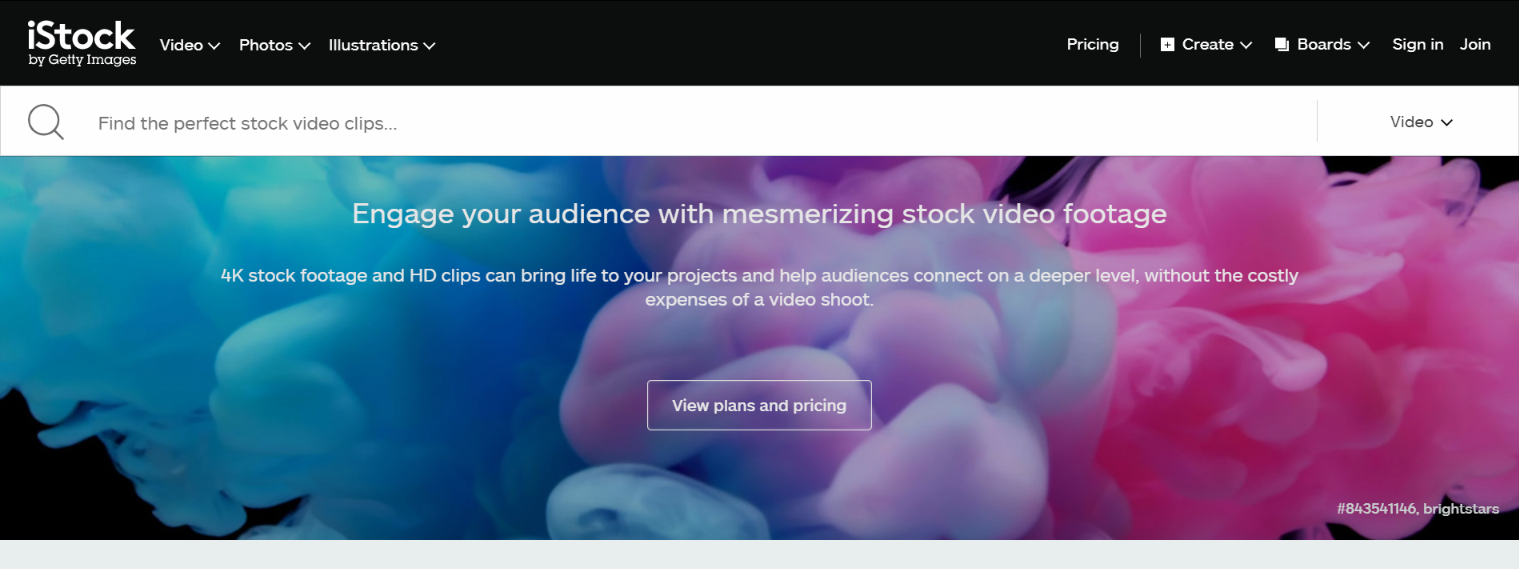
iStock has millions of royalty-free stock images, illustrations, videos and music waiting to be explored. Its library is continually growing with thousands more added per week. All these are available at ridiculously low prices.
iStock is known for its high quality image collection and affordable rates. It helps bloggers, web designers and other members of the creative community to purchase cheap stock photos without compromising quality. Even with the great prices it offers, the stock photo website also works with us to give you our valued customers, exclusive iStock coupon codes. Here’s what’s included with our coupon codes:
15% Off on iStock Subscription for All Customers. Whether you are a new or existing customer, you can benefit from our iStock photo coupon. The discount is applicable to the yearly subscriptions, unlike other coupons that are only available for a short period of time or that gives a maximum discount of 15%.
10% Off on iStock Credit Packs for New Customers. Don’t have an iStock account yet? You are in for another treat. You can enjoy our 10% discount on iStock credits packs when you sign up to the stock photo website. This is a great opportunity for you to download images and determine if iStock suits your creative needs.
We recommend the yearly subscription and 60 credit packs or more to get the best value for your money. You can redeem them by following these steps:
Choose a credit pack or subscription to buy. Determine which credit pack or subscription best fits your creative needs and budget. The stock photo agency has incredible stock and flexible pricing, you will surely the perfect image plan.
Log in your account. To proceed with the redemption, you will be asked to log in your account. You will also need to provide your billing and shipping information. Also fill in your personal details.
Enter the iStock promo code. In the box just above the VAT information, you will find the promo code box, enter the promo code you got from us and see your savings on the next stage, where you will be asked to provide your credit card details.
iStock guarantees quality stock images at the best prices. You can download images you need with credit packs – buy more to save more. These credits do not expire so you can download images whenever you need. Use our 10% iStock coupon if you are a new customer for additional savings. You can also subscribe to a monthly or yearly plan to get the best rates on photos. Be sure to get our 15% discount on yearly subscriptions for more savings.
What are you waiting for? Get your iStock coupon code now!









 Depositphotos is a